
Rheo Labs

All systems

System 01 · Slate

Turn messy invoices into usable data.

Invoices and receipts arrive as PDFs, images and phone photos, each laid out differently. Slate reads them, pulls out the details your books need and flags anything it isn’t sure about, so a person only checks what needs checking.

Example: ~$40/mo to run
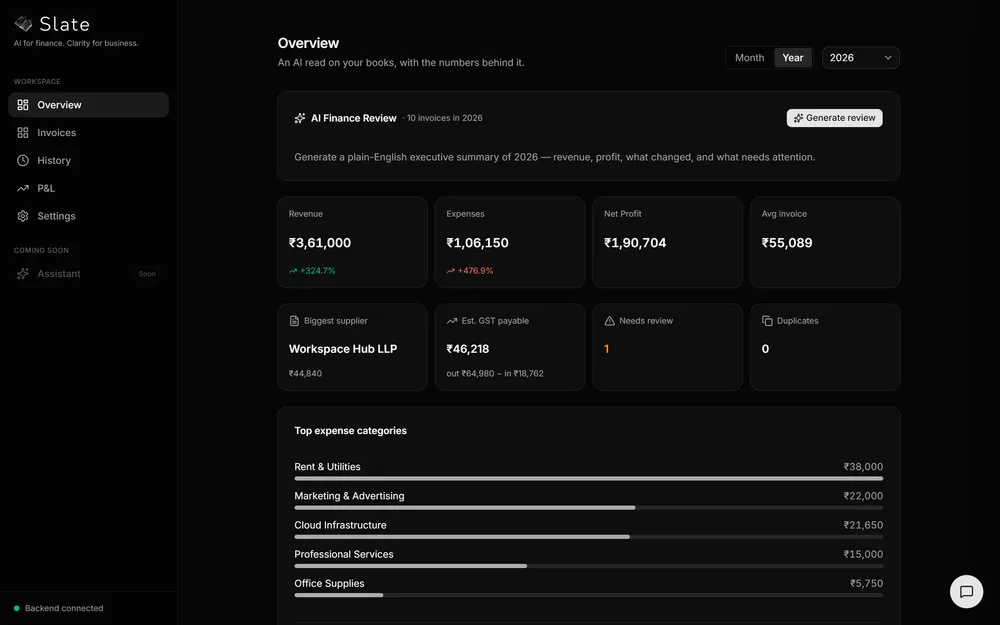

Slate’s overview: revenue, expenses and net profit for the year, estimated GST payable, one invoice needing review, and the top expense categories.
The overview: revenue, expenses, profit and GST at a glance, built from the invoices Slate has read.

The job it takes off your desk.

The problem

Someone opens each invoice, finds the supplier, date, number, items, tax and total, and types them into a spreadsheet or accounting tool. It’s slow, it’s easy to slip, and it never stops.

The system

Drop in a batch of invoices, or let Slate collect them from an inbox. It reads each one, sorts every bill into an expense category and keeps sales and purchases apart.

What you get

Clean rows ready to export to tools like QuickBooks or Xero, a profit and loss view that updates as invoices come in, and far less time spent copying details by hand.

How it works.

1. Invoices come in
Upload PDFs, images or photos of paper invoices, one at a time or in a batch. Slate can also pick up invoice attachments from an email inbox.
2. AI reads each one
A vision model extracts the supplier, date, invoice number, line items, tax and total, and suggests an expense category. Every field gets a confidence score.
3. A person checks the unclear parts
Anything the model wasn’t sure about is flagged for review. You correct or confirm it, then approve. Nothing is exported until it’s approved.
4. Ready for your books
Approved invoices export as CSV and flow into the profit and loss statement. Tax is kept separate, so revenue and expenses are shown net of GST.

A closer look.

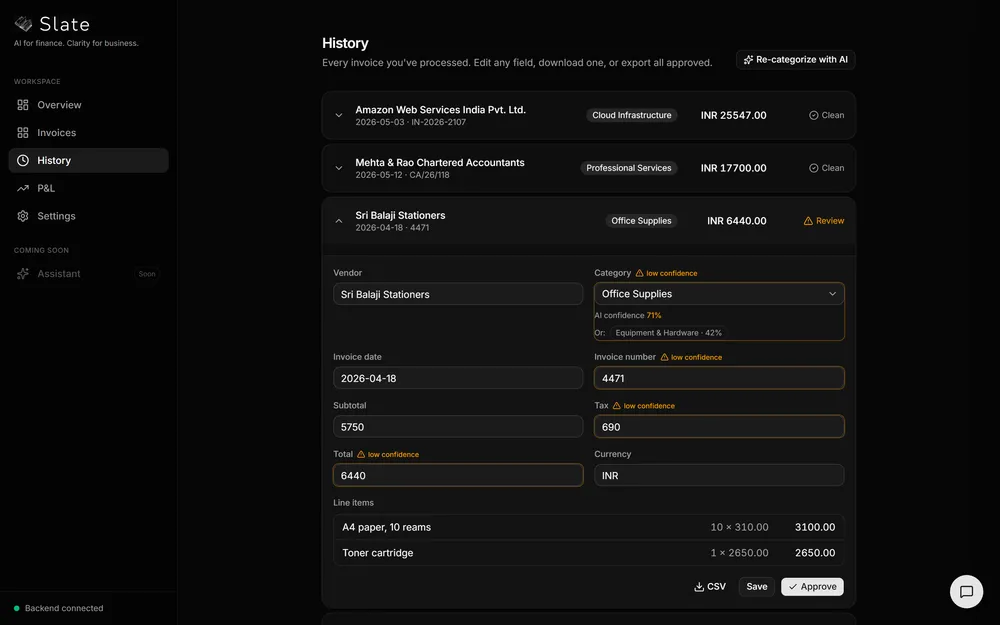
An invoice from a photographed stationery receipt opened for review. The category, invoice number, tax and total are marked low confidence, with an alternative category suggested.

Unclear details are flagged, not guessed.

A phone photo of a receipt is harder to read than a clean PDF. Slate marks the fields it’s unsure of, shows its confidence and offers the next most likely category, so the check takes seconds.
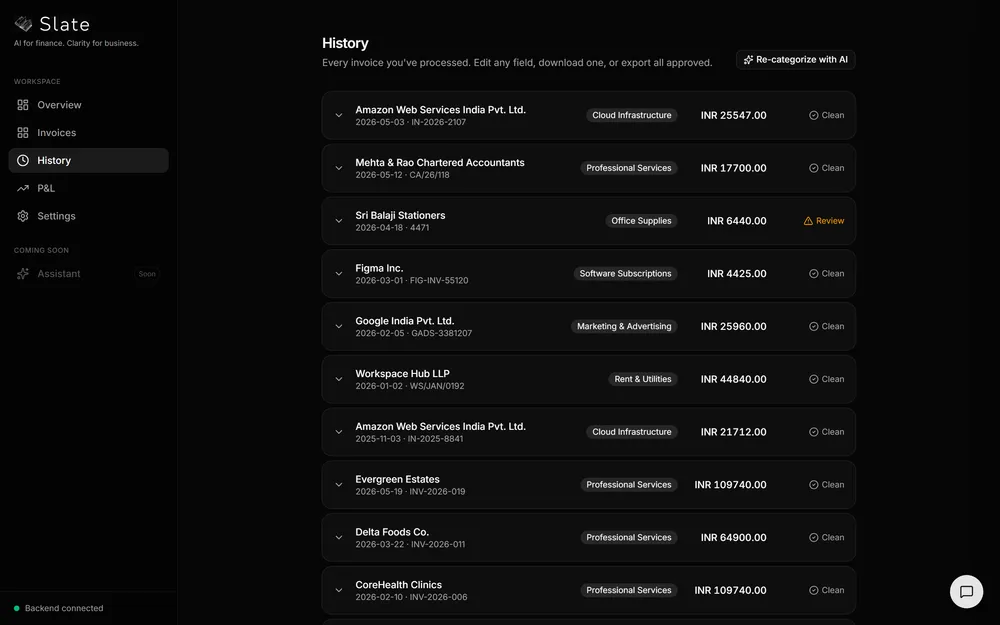
A list of processed invoices, each with supplier, date, invoice number, category, total and a Clean or Review status.

Every invoice in one place.

Each processed invoice is kept with its category and status. Edit any field, download one invoice or export everything that’s been approved.
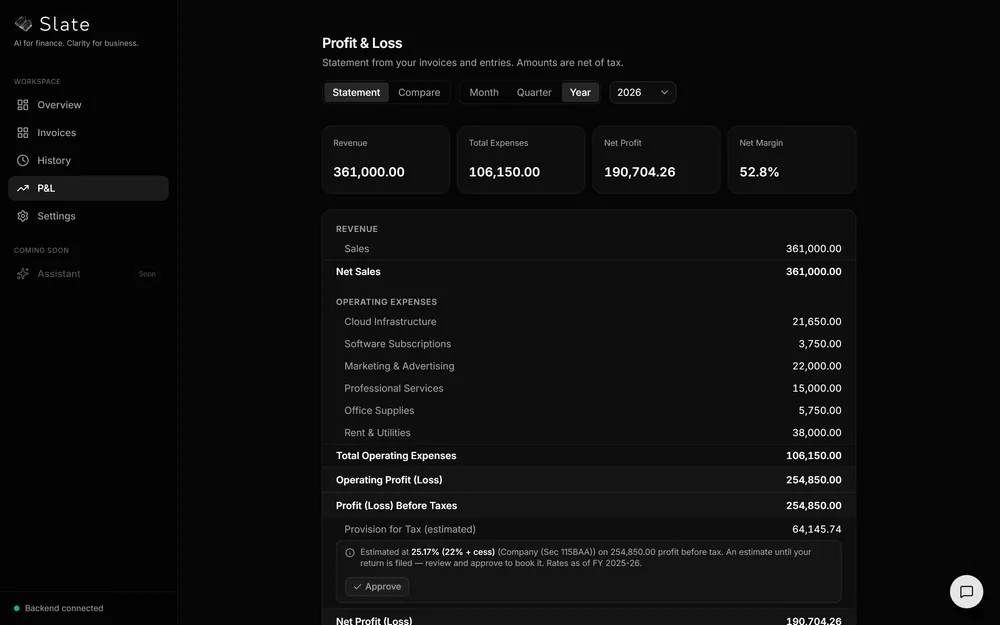
A profit and loss statement: sales, operating expenses by category, operating profit and an estimated tax provision waiting for approval.

A profit and loss view that keeps itself current.

Sales and purchases feed a simple statement by month, quarter or year, with a comparison against the previous period. The tax provision is an estimate you approve, not a number booked silently.

Shown on sample invoices. No client data.


Built with.

Reading invoices
Google Gemini, a vision model that reads PDFs, images and photos
Behind the scenes
Python and FastAPI, with a SQLite database
The screens
Next.js, React and Tailwind CSS
Connections
Gmail for inbox collection (optional) and CSV export for QuickBooks, Xero and similar tools

More systems.

WISMO

Answer “Where is my order?” automatically.

See WISMO

Baton

Follow up with every lead. Right away.

See Baton

All systems


See it work

Want Slate on your own invoices?

We’ll walk you through it and talk about what your version would need: your formats, your categories, your accounting tool.

Ask for a walkthrough

No pitch deck. Just a useful conversation.